Scan-to-Order · Product case study
WeChat Pay (Tencent) · 2020–2022
Bringing scan-to-order to China’s smallest merchants.
At WeChat Pay, I led the 0→1 of an official scan-to-order product for small and micro merchants — the street-food stalls and family shops whose owners came online through a phone, never a PC. It shipped as software and, later, custom hardware, and reached national scale across China.
- Role
- Product lead — Scan-to-Order (research → software → hardware → launch)
- Worked with
- Design, engineering, operations, hardware & collateral suppliers
- Scope
- Mainland China · launched product
50 million merchants the market wouldn’t serve.
A smartphone was their first and only computer — and not one they used for anything advanced.
China had roughly 50 million small and micro merchants. Many of their owners had leapfrogged the PC-and-web era entirely. Scan-to-order was already normal at big chains — but only through third-party software that was too expensive and too complex for a noodle stall or a bubble-tea counter.
My bet: if WeChat Pay offered it officially — near-free, and simple enough to set up with no training or tech background — we could bring millions of the smallest merchants into digital ordering, and open pre-payment as a new surface for the platform.
Learning from merchants, before and after launch.
Research ran alongside the build, starting with merchants who had already raised their hand. The same loop — recruit, talk, pilot — carried the product from software into hardware.
Merchants who left messages in the app’s feedback channel were asked whether they’d be willing to talk.
About ten merchants, by phone and face to face in their shops, on the software: menu setup, ordering, and order hand-off.
For the printer, 100 merchants were reached and briefed the same way, then whitelisted for the P0 beta.
After an internal test period, the P1 printer went into full production and launch.
In the field
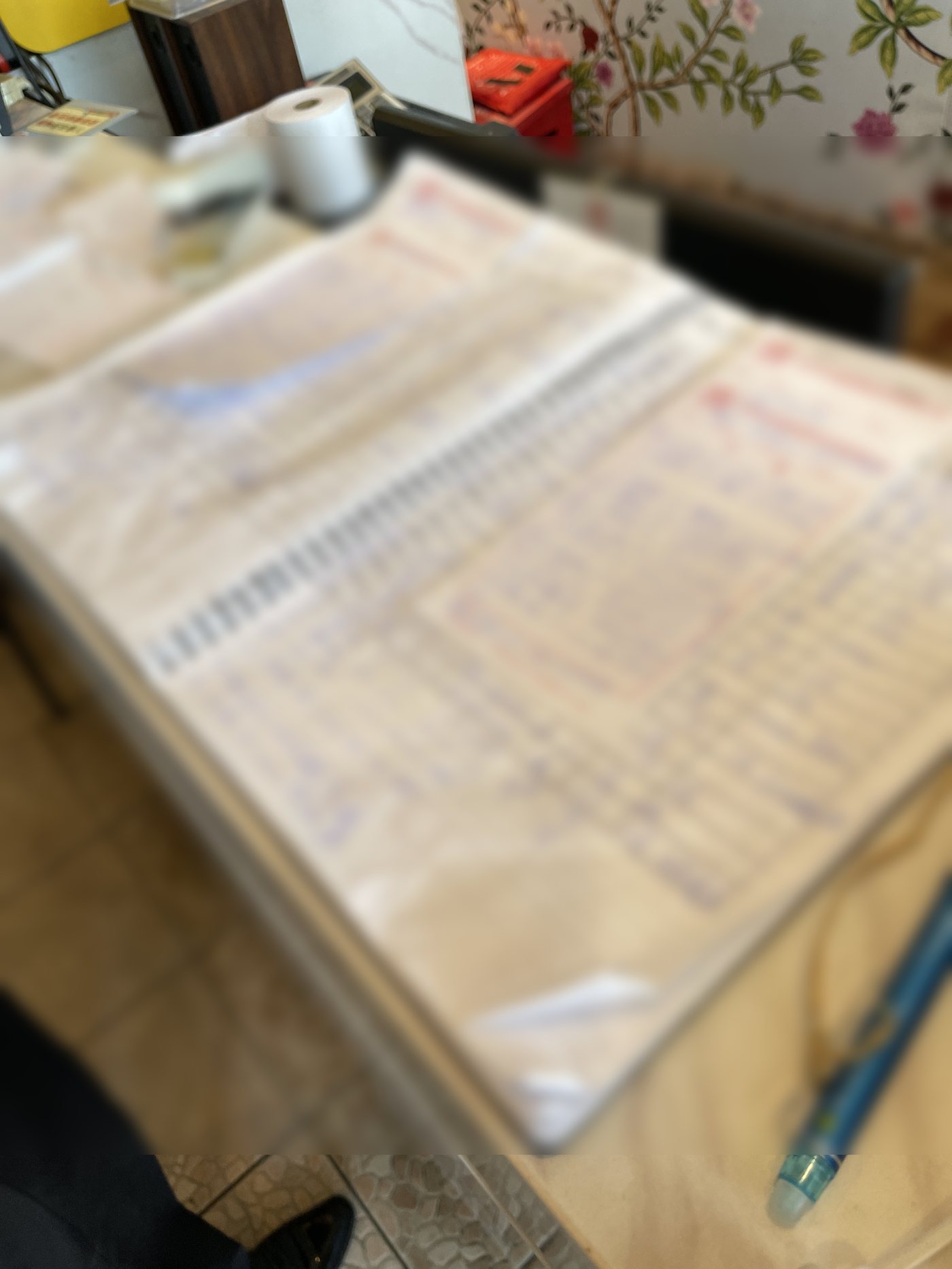
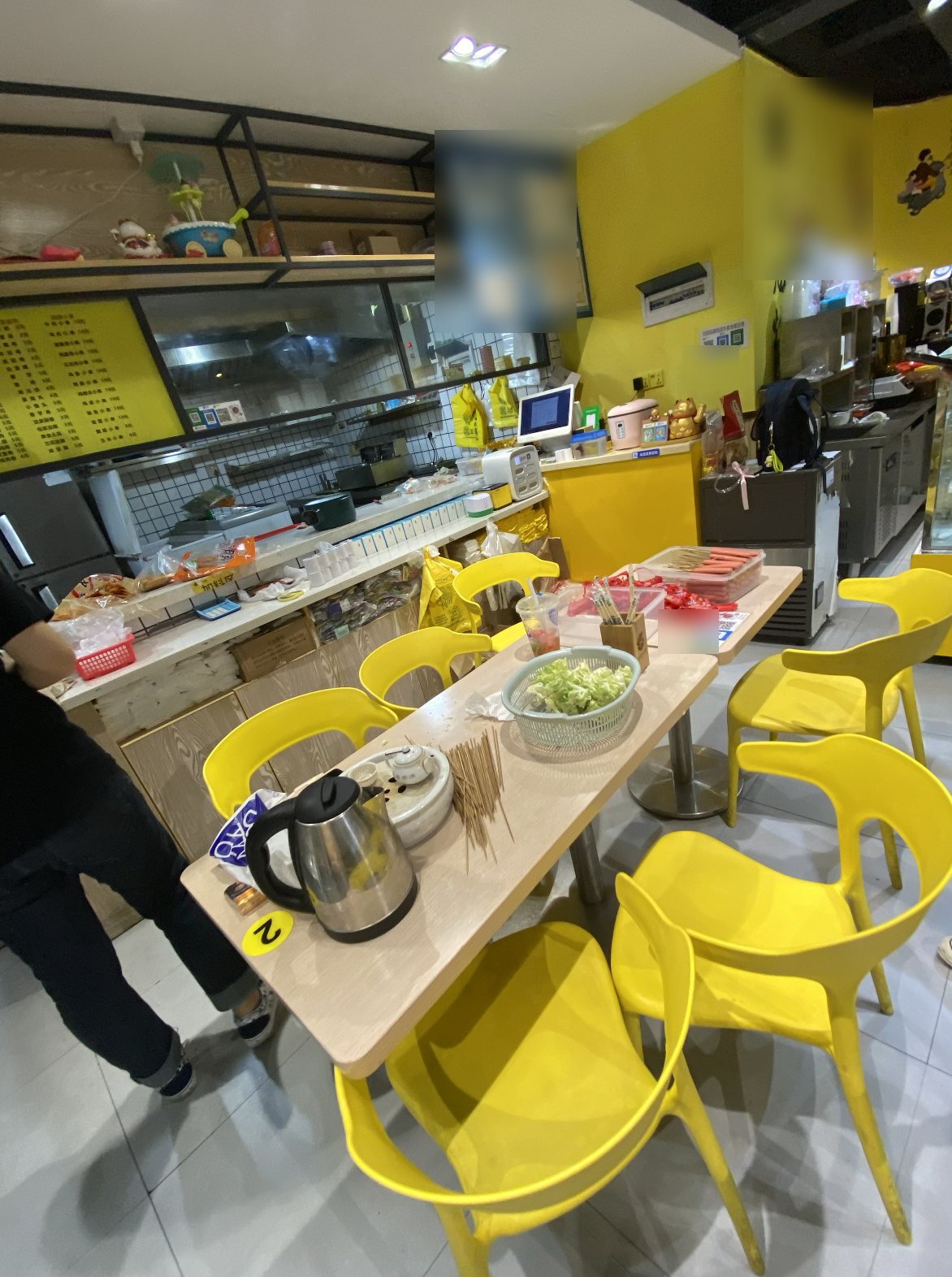
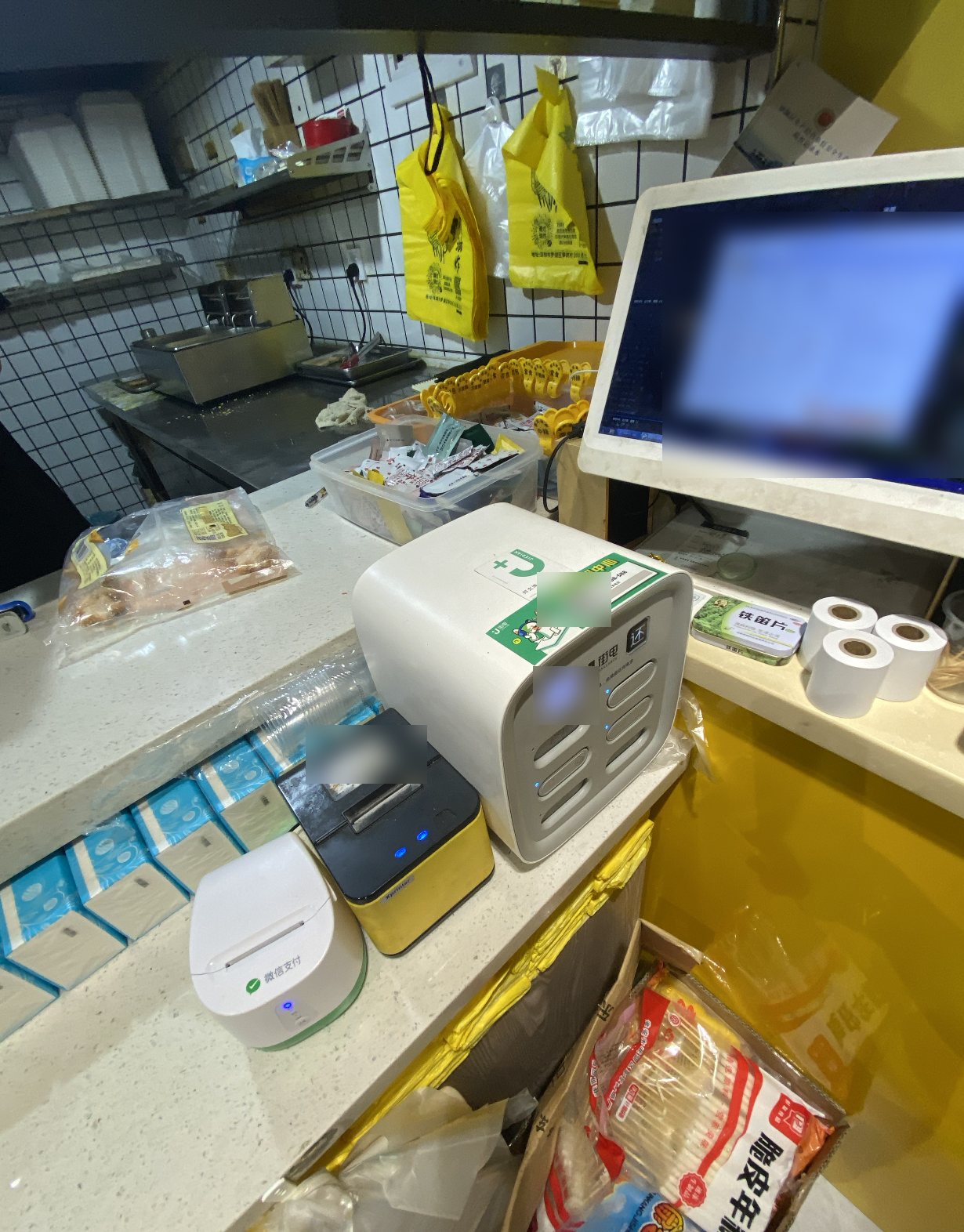
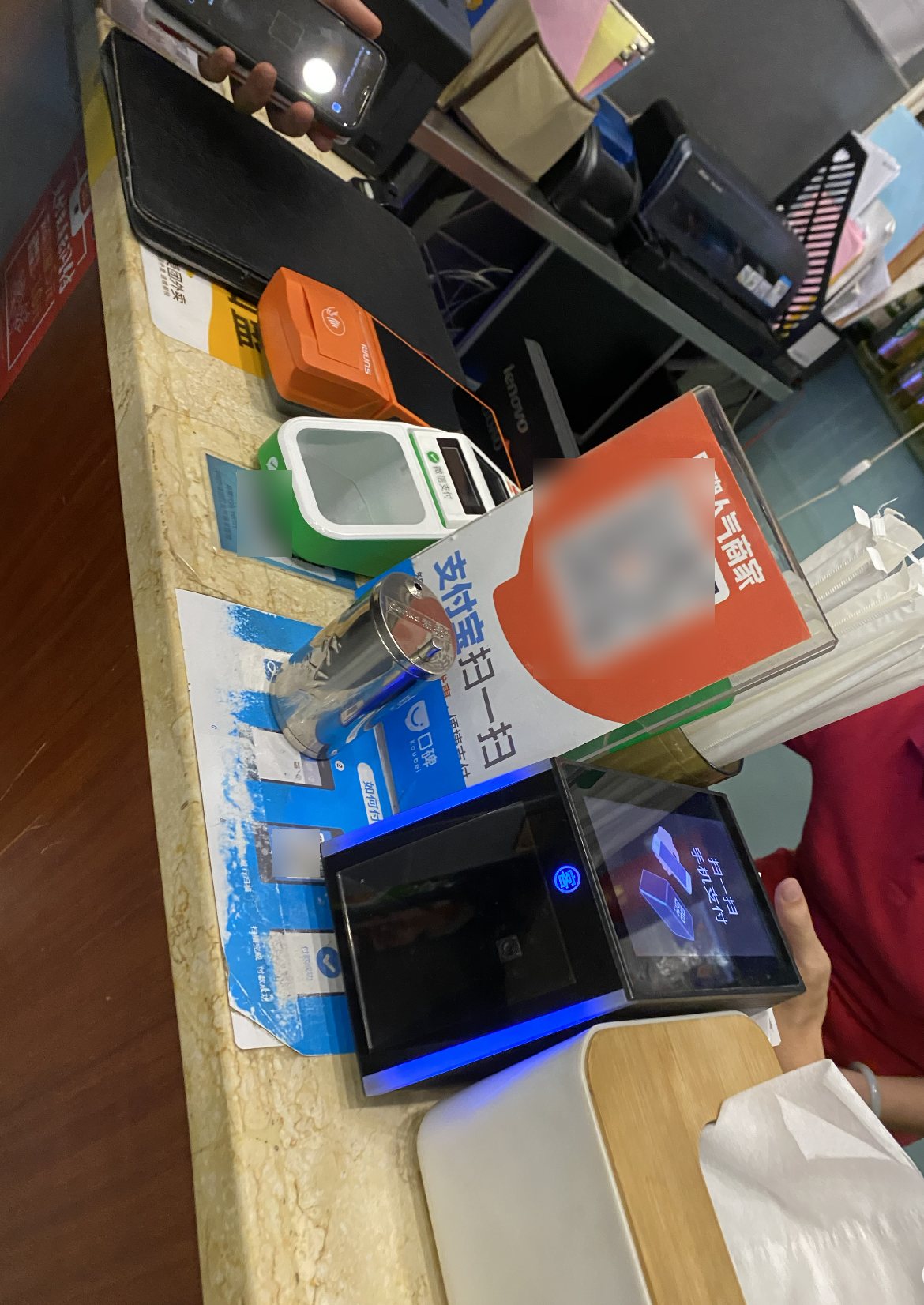
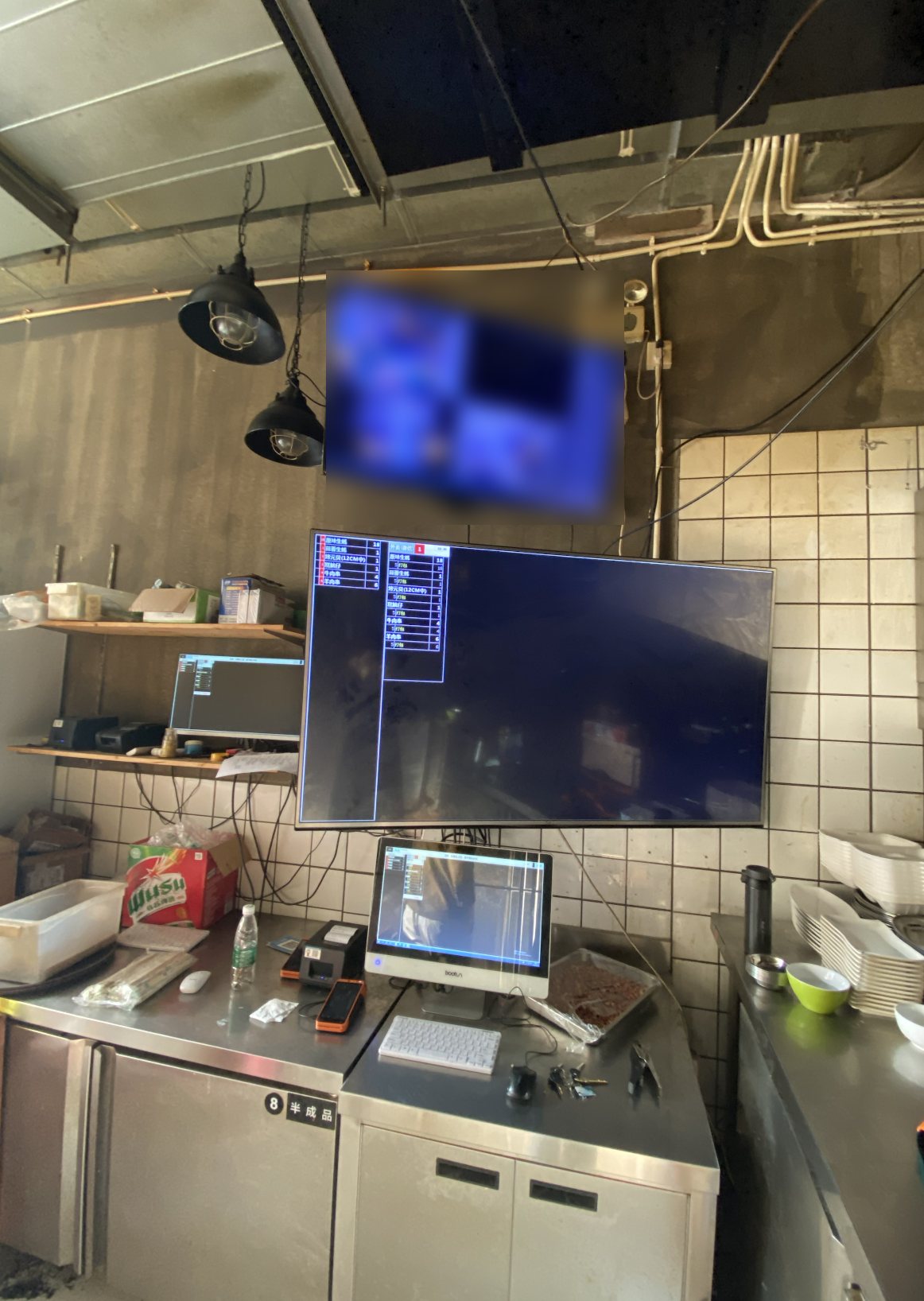
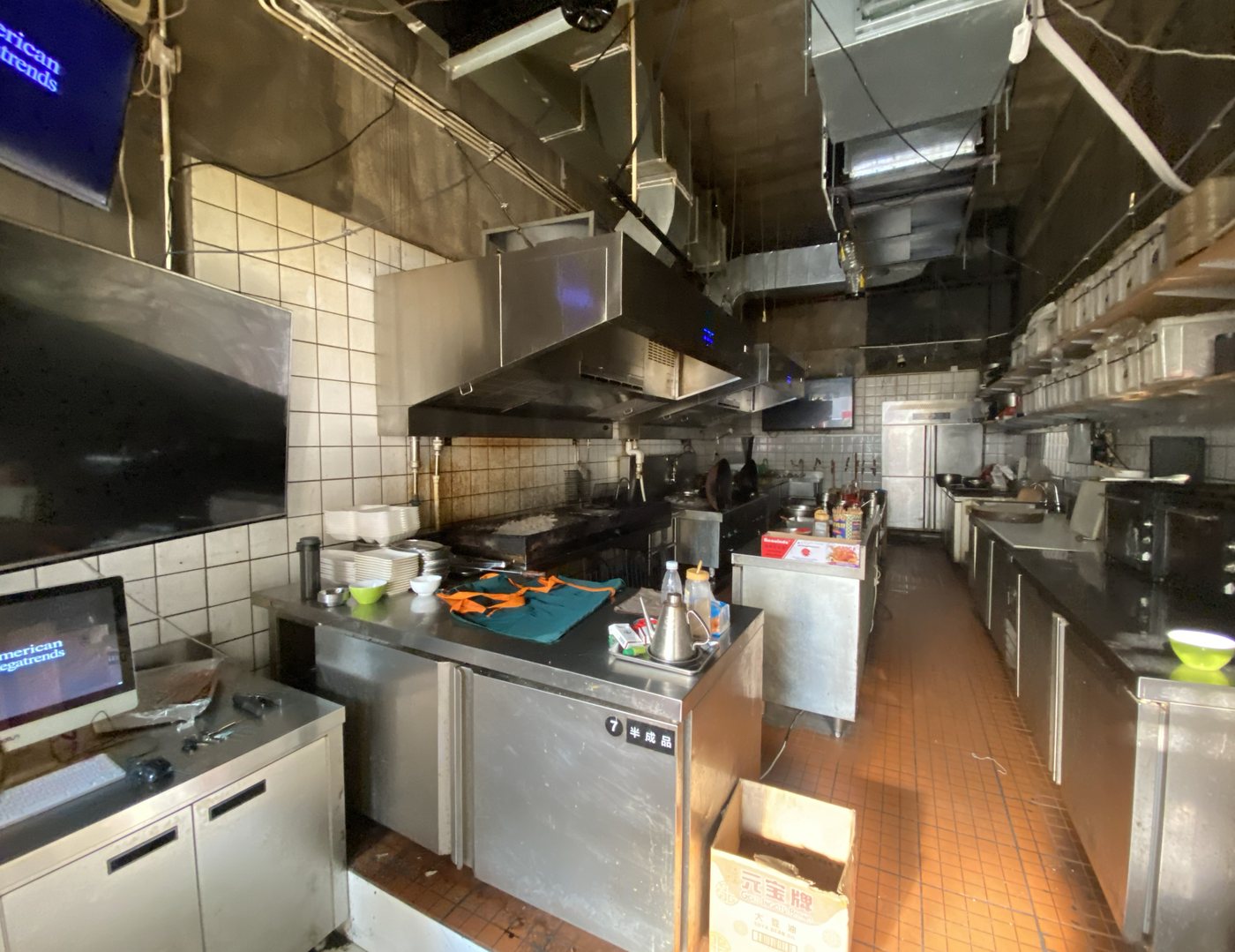
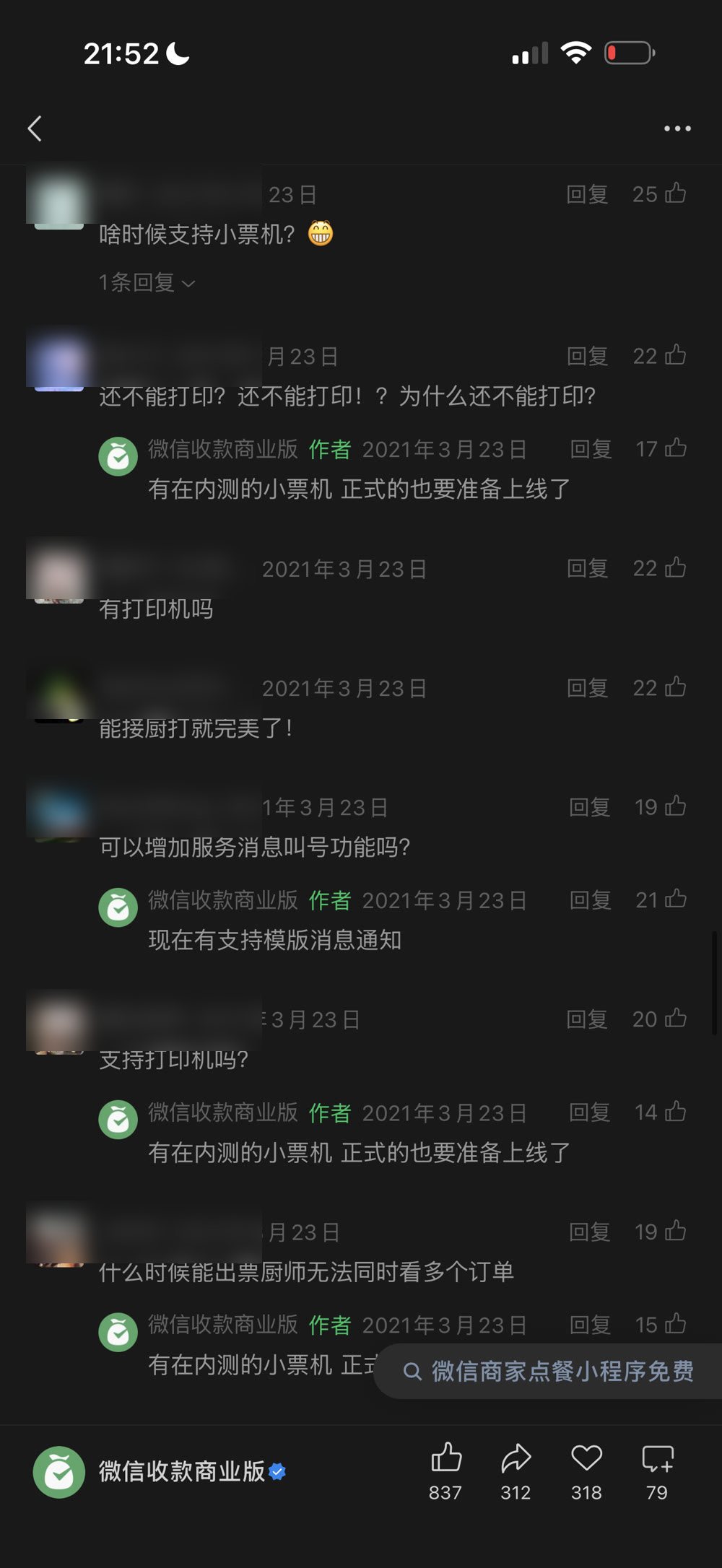
What merchants told us
Requests came both in public and in one-to-one chats. Asks like the second one are what the one-tap spec templates in the next section answer. The printer requests came after the software launched: once enough merchants were asking, we defined the receipt printer and launched it as the next, hardware stage.
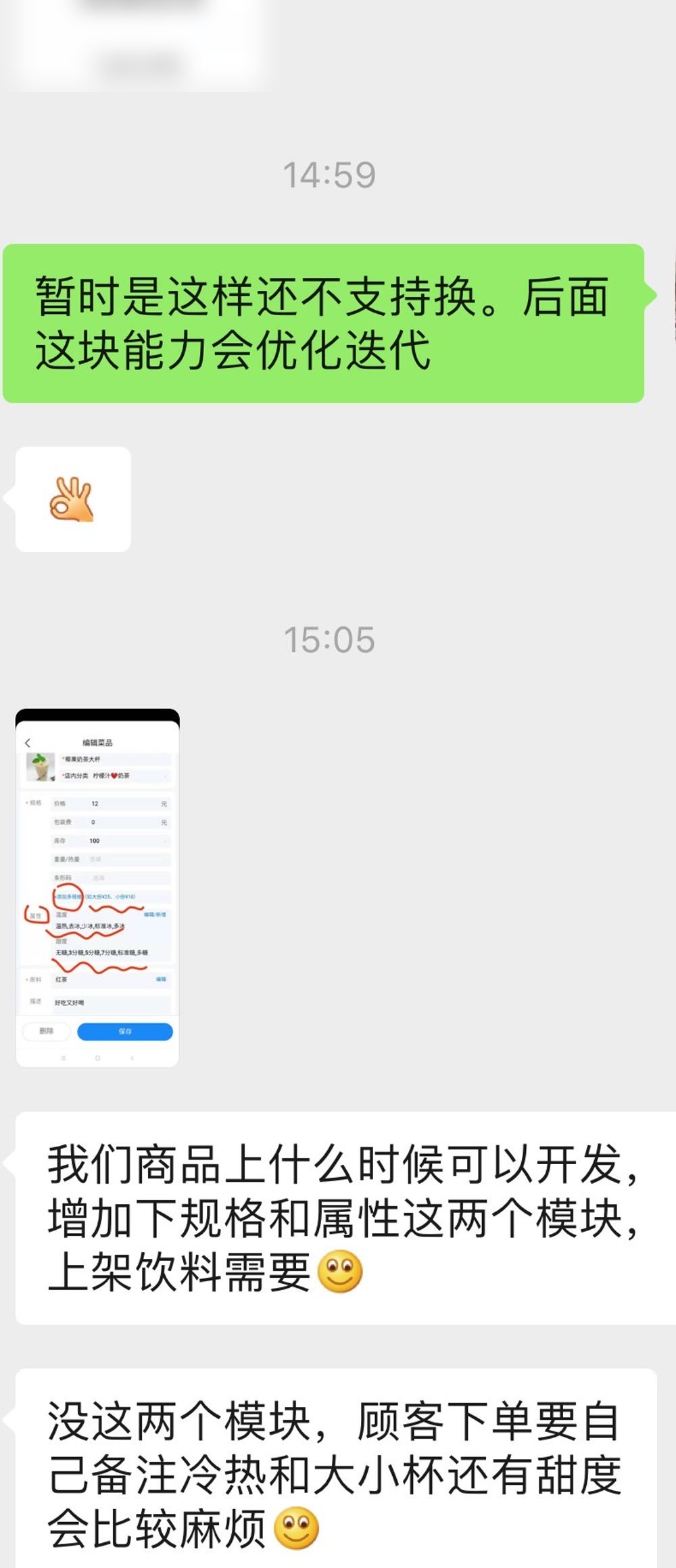
Three places a small owner gets stuck.
Getting the menu in
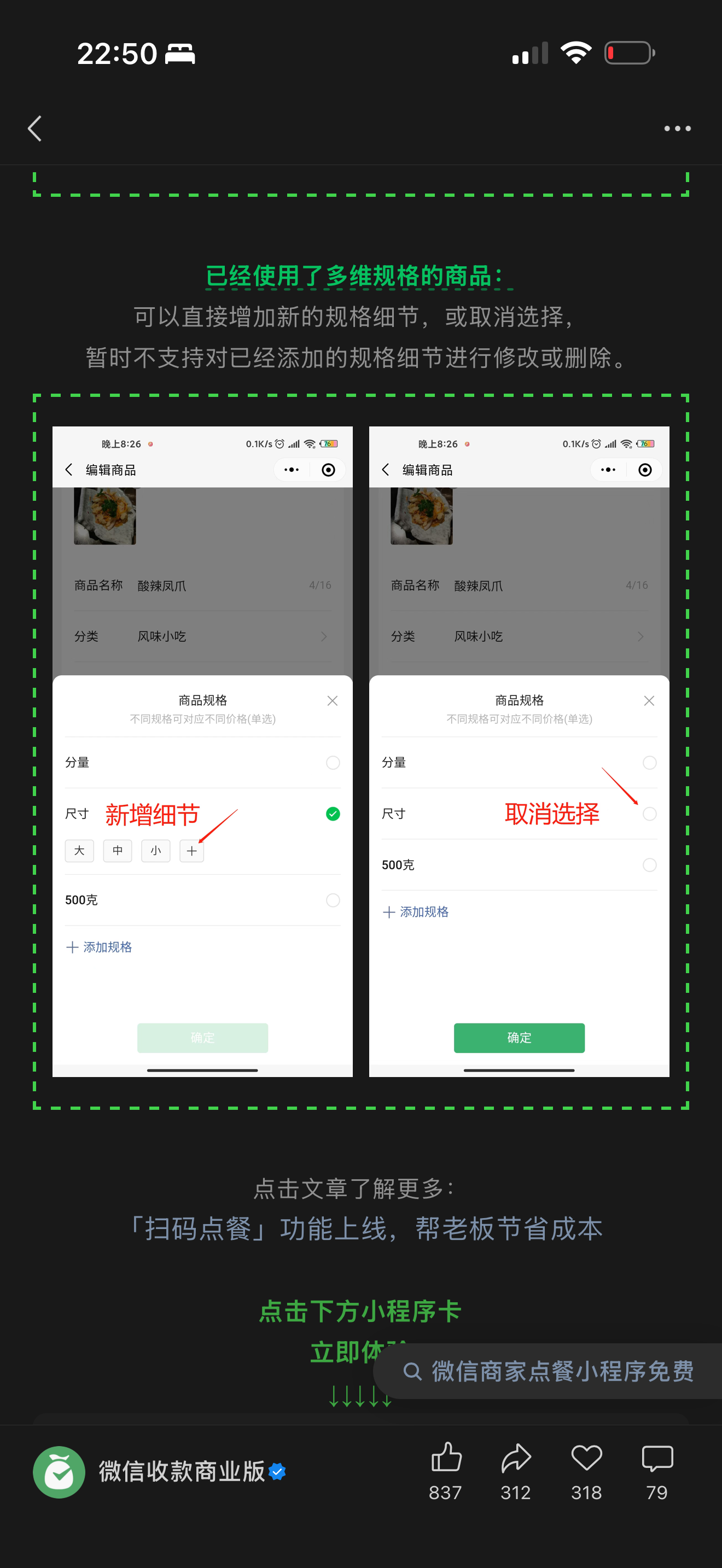
Owners won’t type a whole catalog into an app. So I built one-tap templates — sweetness and ice for drinks; spice, allergy, and portion for dining — that turn a menu into a few taps, not a data-entry form.
Reaching every kind of shop, affordably
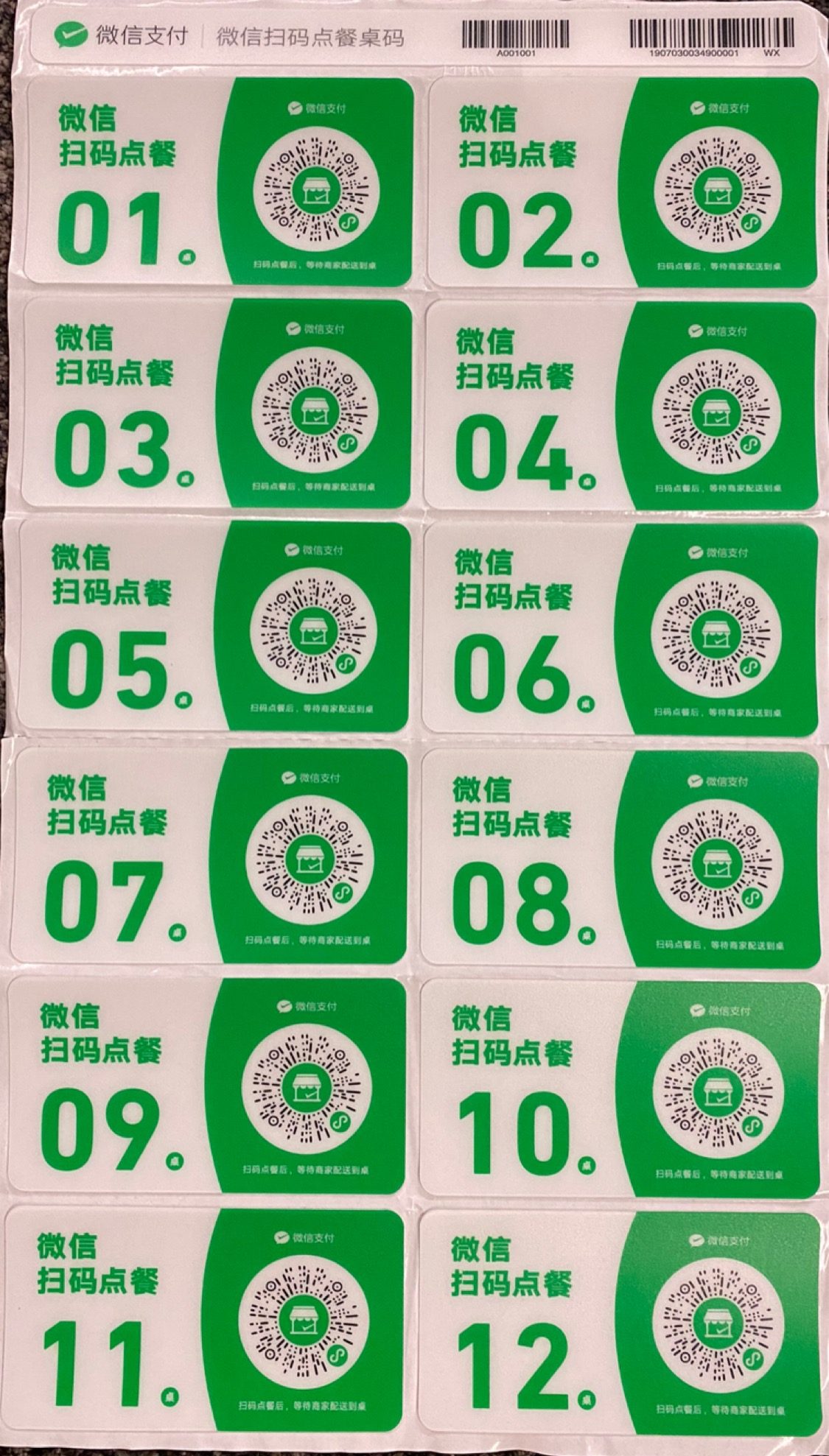
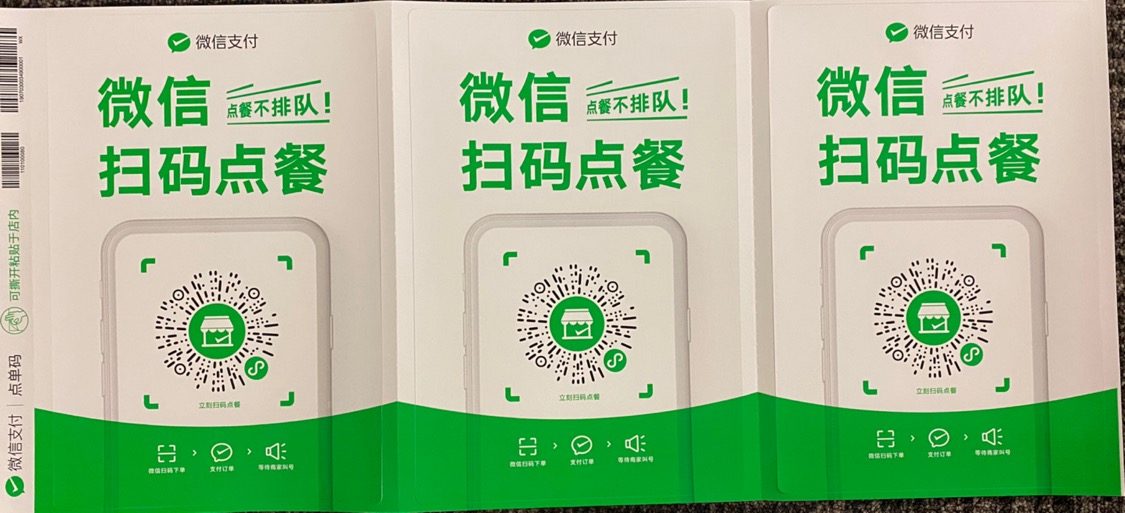
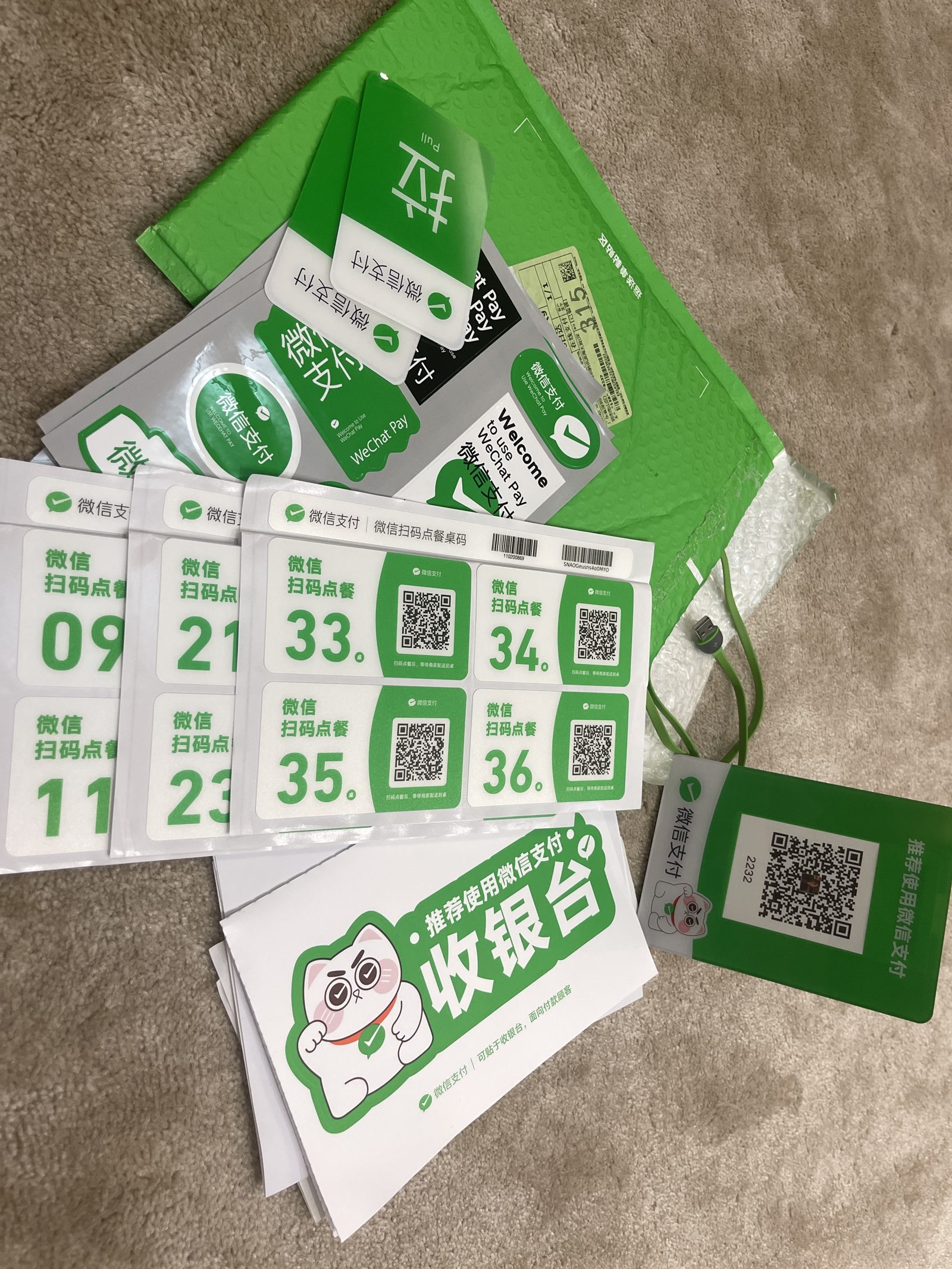
A tea counter, a dine-in restaurant, and a street stall all order differently — and none would pay for custom signage. I defined the smallest, most universal set of QR collateral that still covered every format: a numbered table sticker for dine-in, a poster for counters and stalls. The tradeoff was breadth over customization — cheap, standard collateral any merchant could afford.
Getting the order to whoever’s cooking
Most shops aren’t one person — an order has to travel from the customer to whoever’s at the wok, and checking a phone mid-service doesn’t work. I designed the hand-off as a choice: a phone alone was enough to start, and shops that needed more could add optional hardware.
Self-serve setup, no training.
It had to work for someone doing it for the first time, with no one to ask.
I cut the merchant app to the few actions that matter — build the menu, get the QR, take the order — with short how-to videos pushed through WeChat’s official channels for first-timers. A phone plus a printed QR was already enough to open for orders; no extra purchase required.
The templates did the heavy lifting: instead of a blank form, an owner picked the options that fit their food, and a dish became a few taps.
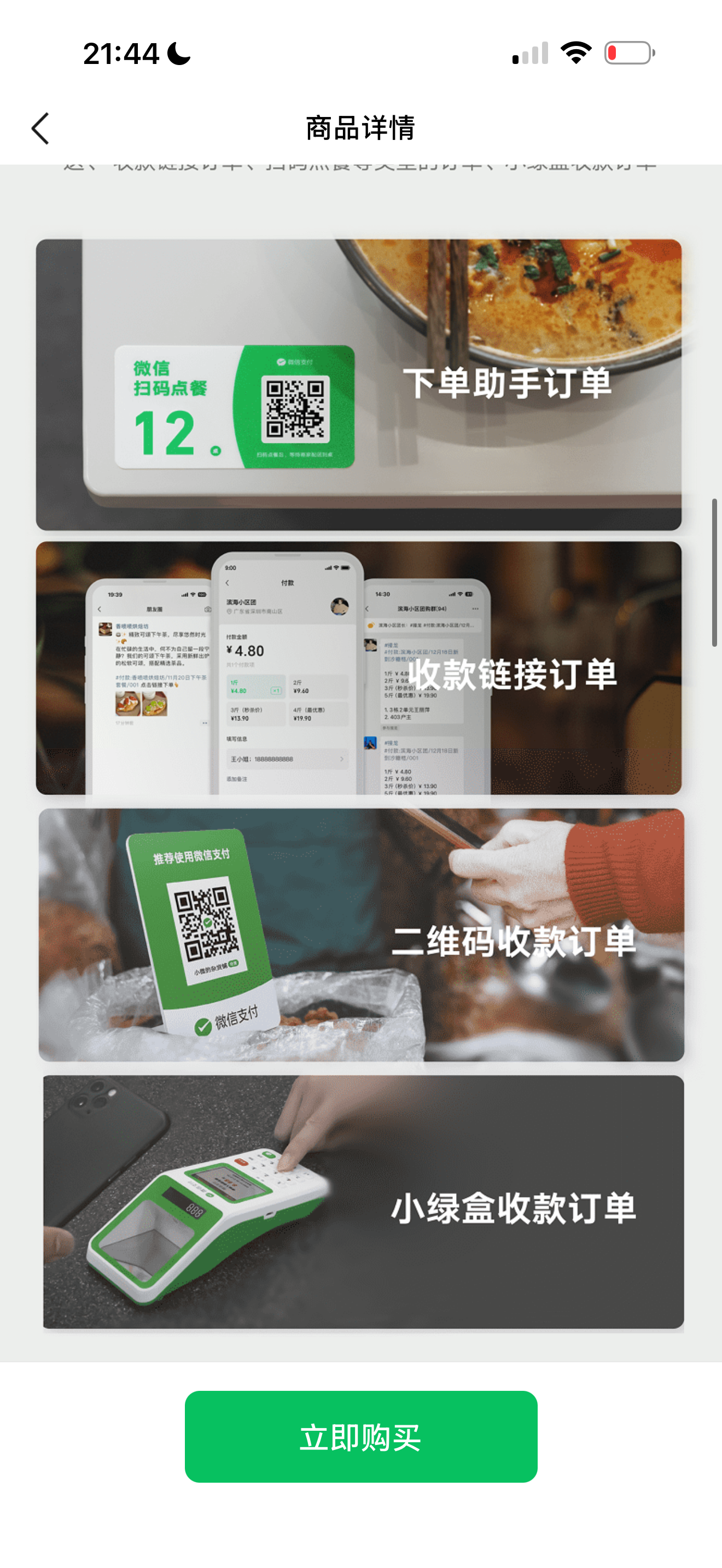
The physical side had a cost tradeoff of its own. I kept the QR collateral to two cheap, standard formats — a numbered table sticker and a poster — that a merchant could buy for a few yuan or print themselves.
An optional upgrade, driven by merchants.
In a loud, cramped, multi-person shop, an order that only lit up a phone got missed.
We shipped software first, and the requests came back fast. Only after hearing the same pain repeatedly did I take the product into hardware — and I validated it with a 100-merchant beta before building the shipping version.
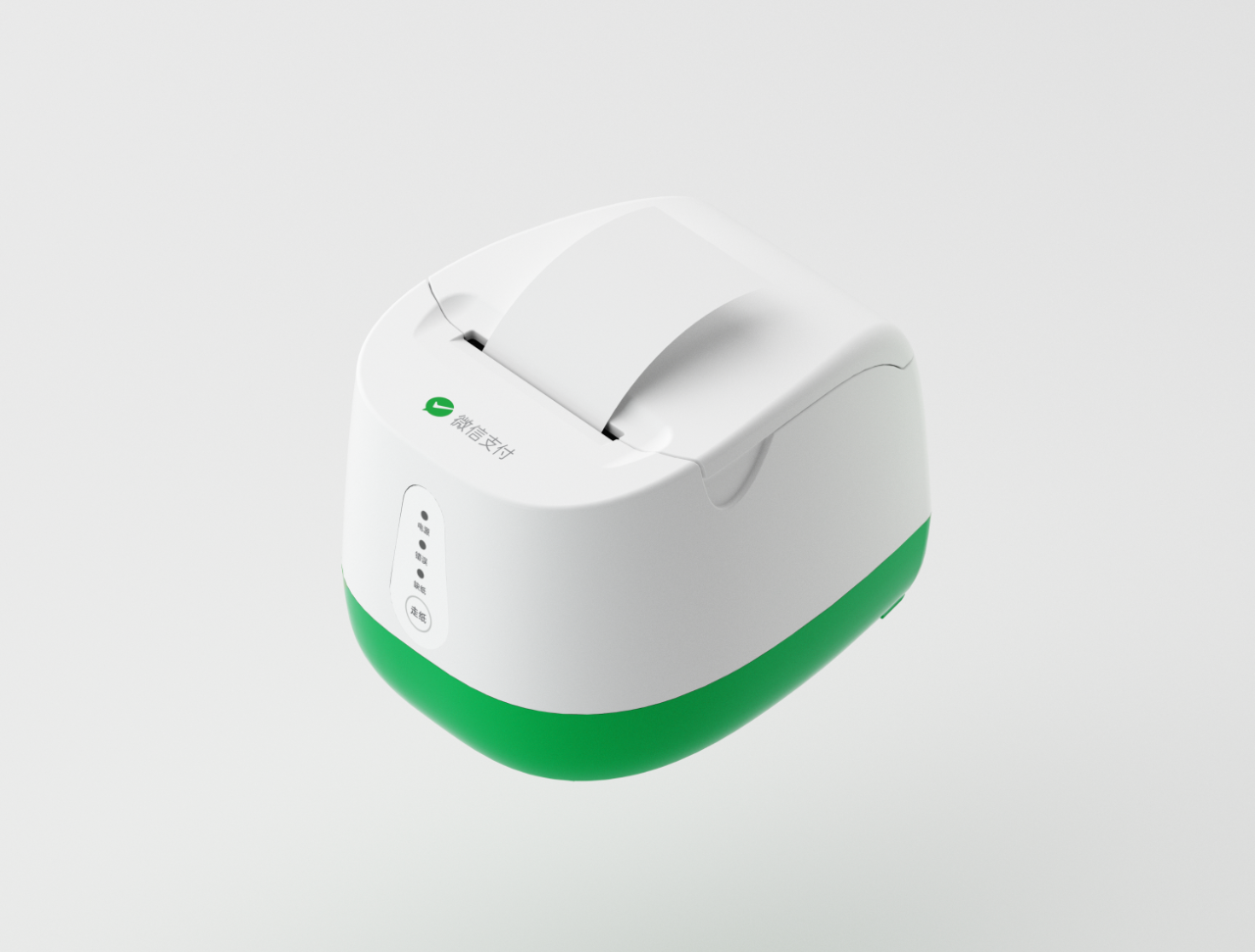
A receipt printer built for that environment: 4G inside (no extra phone), a voice announcement when an order lands, a signal-light-only interface (no buttons or screen to learn), wider paper and larger type.
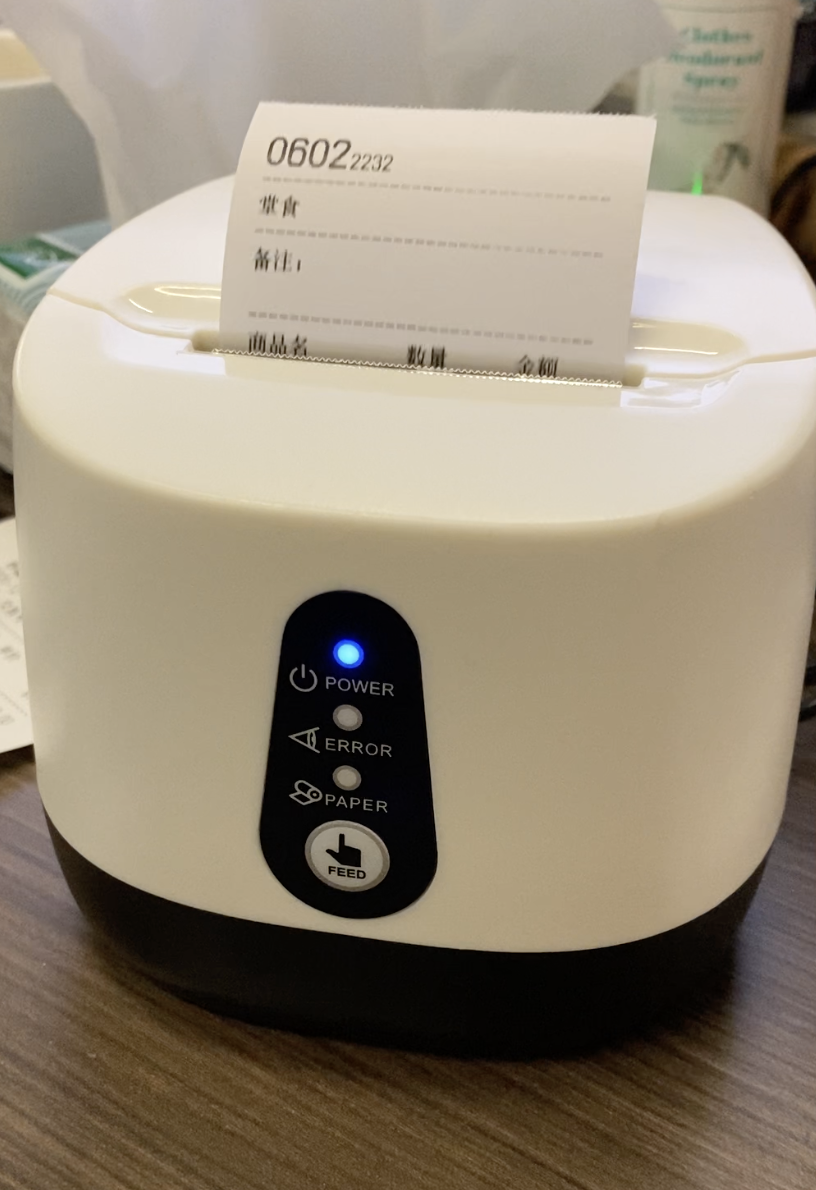
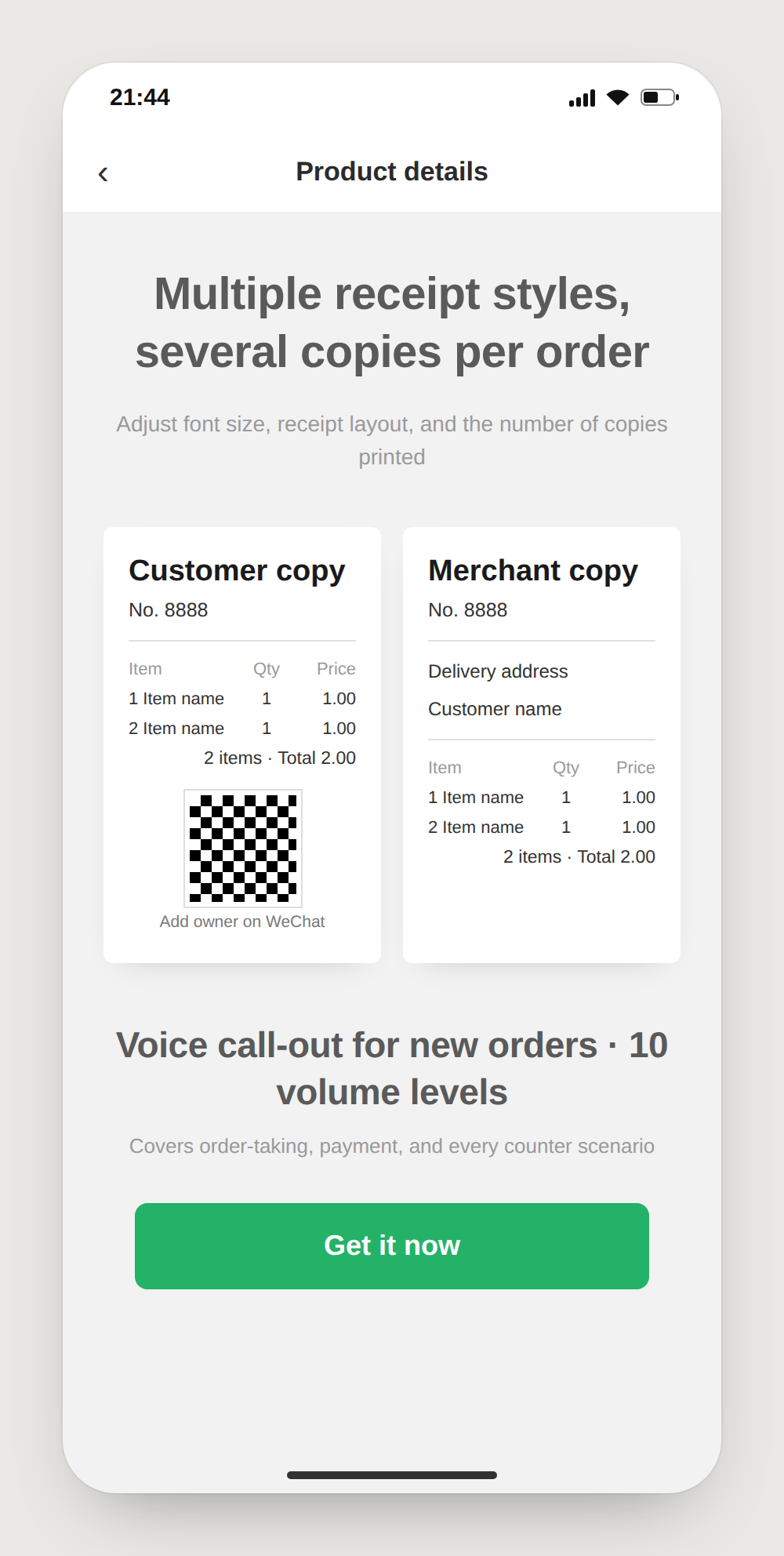
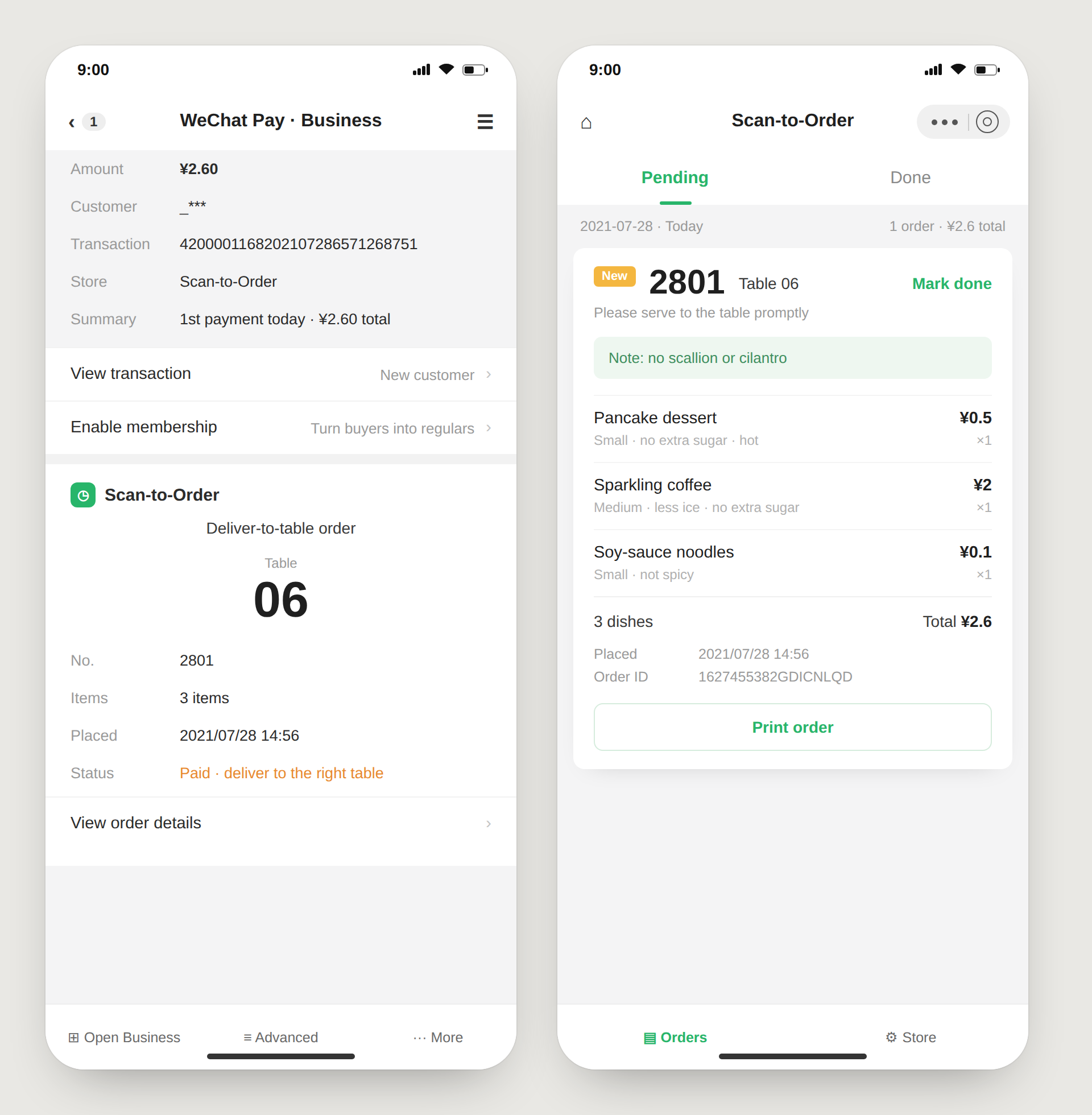
It stayed optional. A phone plus collateral was always enough to run; the printer was for shops that wanted the relay. To keep it within reach, I worked with the operations team on a points-redemption path — ops funded the subsidy and handled redemption, and I built the in-product side (campaign notifications and an explainer-and-enrollment flow) — so an owner who found the printer too expensive could earn it instead of buying it.
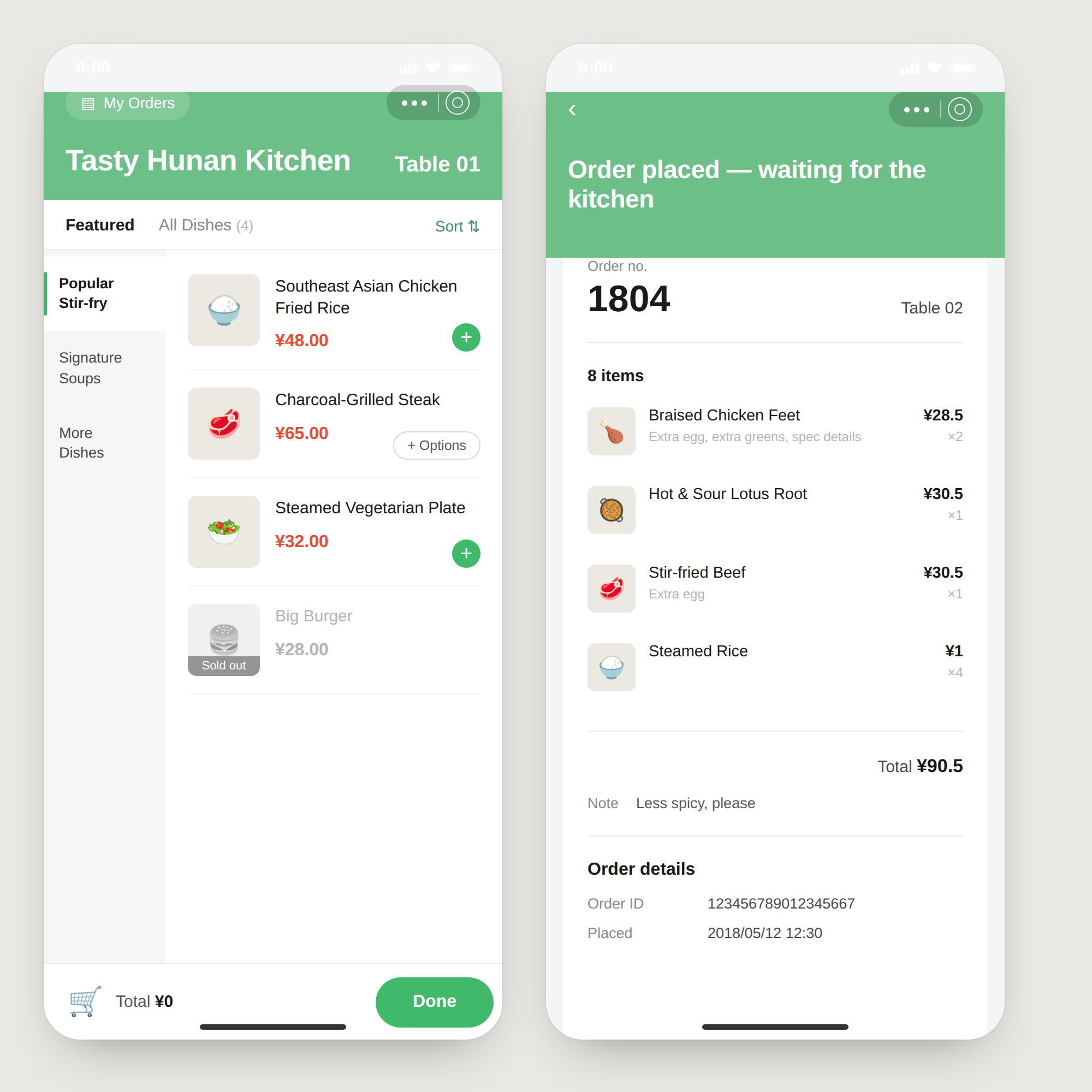
The customer scans the code, orders, and pays.
The printer speaks and prints the ticket.
The order goes straight to whoever is cooking.
Self-pickup, or the shop runs it out.
National scale — and a segment that finally got served.
Adopted at national scale across China — hundreds of thousands of small merchants, powering millions of daily orders.
Merchants’ daily transaction volume rose by roughly 30% after they adopted it.
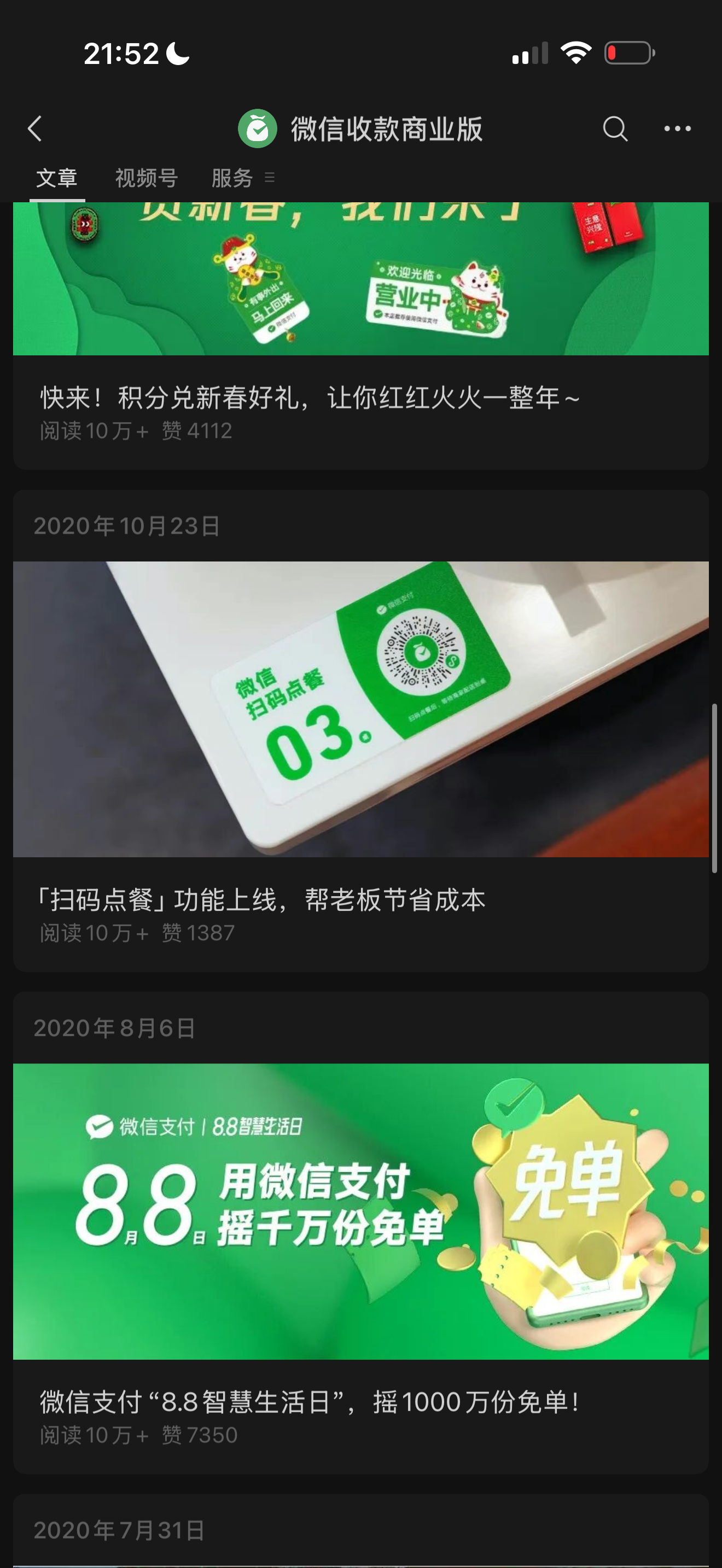
Featured across WeChat Pay’s official channels — the launch posts each passed 100,000+ reads.
It put digital ordering within reach of the owners the market had written off as too small to serve.
The AI-native version.
The hardest problem was always menu input. Back then, I explored auto-generating menus from a photo with our internal image lab — but recognition wasn’t reliable enough to ship, so we went with templates instead. With today’s multimodal models, that call flips.
Photo → menu
Snap the paper menu; a vision model drafts items, prices, and options; the owner just confirms. The data-entry barrier largely disappears.
Voice for notes
“No peanuts,” “extra spicy” — spoken, parsed into structured modifiers, confirmed before submit. Ideal for phone-first owners who’d rather talk than type.
Auto-translation
Multilingual ordering for mixed-language customers and staff.
I was reaching for AI-native solutions before the models were ready — and deciding when a model is good enough to ship is the same judgment I’d bring to an AI product now.
The product was trust, not features.
Accuracy and feature count weren’t the product. The product was whether an owner with no tech background could set it up themselves and trust it. Designing for that user taught me to strip a product to the few things that must work — and to know when to ship software, ship hardware, or wait for the technology to catch up.
The product wasn’t accuracy or features — it was whether an owner with no tech background could set it up alone and trust it.
More work